Coming from another DAM? We’ll migrate you for FREE from Canto, Brandfolder, Air, and more! Let’s talk →

Stockpress vs Filecamp

Love Filecamp’s simplicity, but need more from your DAM?

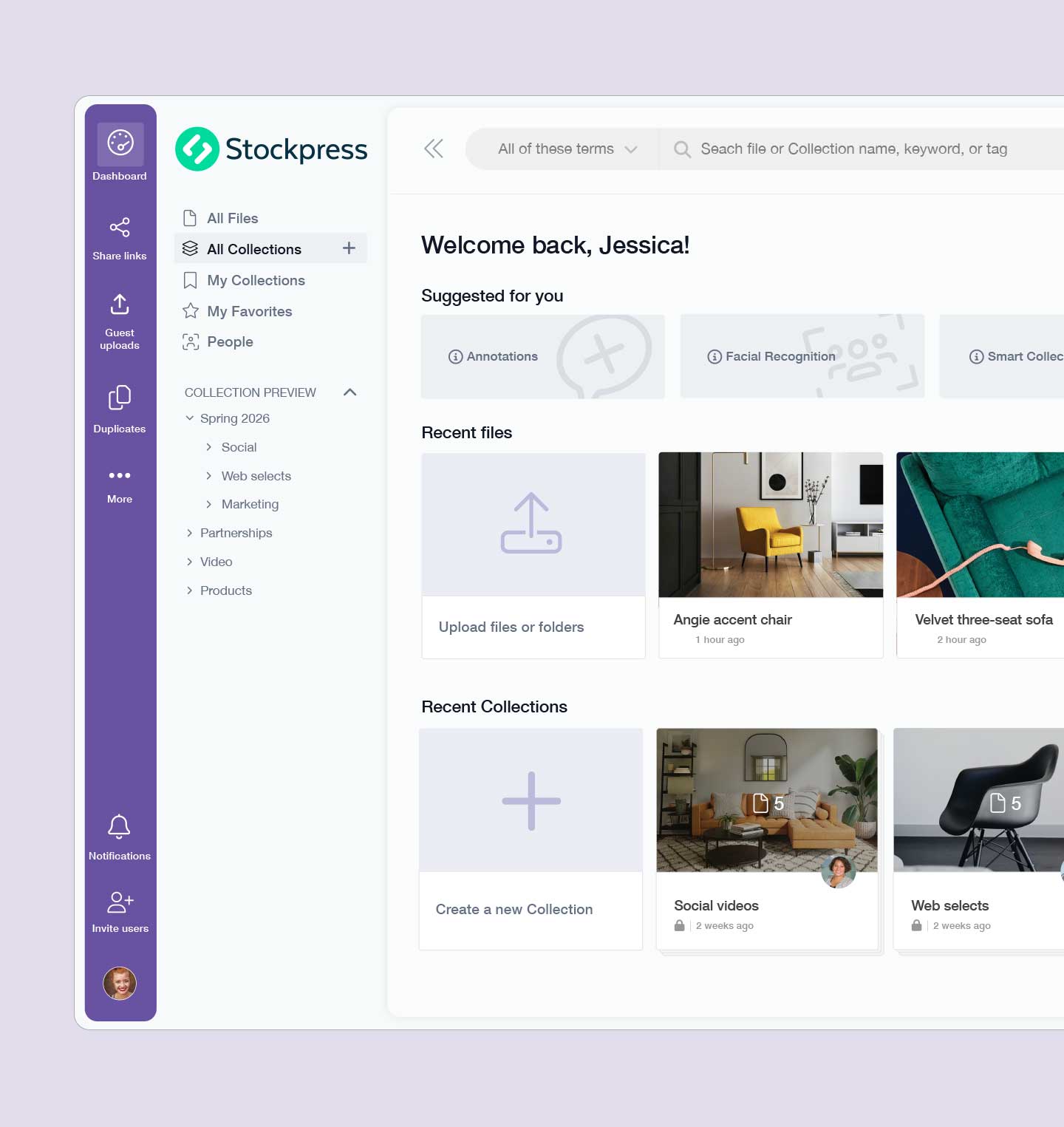
Stockpress gives marketing, creative and content teams an easy way to organize, find, share and use their content — with unlimited users, powerful search and AI, flexible organization, collaboration tools and integrations that help your content work beyond the DAM.

Get started for free

Side-by-side comparison of what verified users report

Rather than telling you why Stockpress works, here’s what users consistently report across G2.
Ease of Admin
95%
 
94%
Ease of Setup
91%
 
94%
Ease of Use
92%
 
93%
Quality of Support
98%
 
93%
Organizational Interface
94%
 
90%

Trusted by teams who move fast and manage assets faster

Why choose Stockpress over Filecamp?

Filecamp and Stockpress both believe DAM should be simple, affordable and accessible to your whole team — the difference shows up as your content library and how you use it become more sophisticated. Stockpress combines the simplicity teams like about Filecamp with more ways to organize, discover, manage, collaborate on and distribute content, giving teams room to grow without moving to a complex enterprise DAM.

Why teams switch from Filecamp to Stockpress

Same simplicity, ready on day one

Moving from Filecamp shouldn't mean trading simplicity for complexity.

The Stockpress solution

Stockpress feels familiar from the moment you log in. Use folders when folders make sense, then add Collections, tags, and smarter organization as your library grows. No lengthy implementation project required.

Finding files still depends on perfect naming

Filecamp's keyword, metadata, and advanced search work well — until you don't remember the filename, folder, or exact keyword.

The Stockpress solution

AI tagging, facial recognition, OCR, and visual search mean less dependence on perfect organization, and more ways for everyone to find what they need.

Your DAM becomes another place where files disappear

Storage alone doesn't get content into use.

The Stockpress solution

Stockpress helps teams move content from storage into action — collecting it for campaigns, collaborating on assets, sharing approved files, building Content Portals, and connecting content to the tools where work happens. Your content, ready to work.

Unlimited users is good. Real support makes it better

Like Filecamp, Stockpress won't charge you for every person who needs access — invite your whole organization without worrying about seat licenses.

The Stockpress solution

And when you need a real person, Stockpress's team is there for migration, workspace setup, and onboarding. Verified G2 users currently rate Stockpress 9.8/10 for Quality of Support, compared with 9.3/10 for Filecamp.

Compare features

Same powerful features. Actually affordable pricing.

Feature
Monthly cost:
Starting Paid Plan
$99/month — 200 GB Filecamp $29/month — 20 GB
Unlimited admins and users:
Filecamp
Free plan
Filecamp
Custom branding
Filecamp
Collections
Filecamp
Custom roles & permissions
Filecamp
AI / automatic tagging
Filecamp

And SO much more!

What makes Stockpress stand out as a Filecamp alternative?

Stockpress is built around the same simplicity teams like about Filecamp — Collections and sub-Collections give your team familiar organization, while AI tagging, facial recognition, OCR, and visual discovery make content easy to find even when you don’t know the exact folder or filename.

Why teams choose Stockpress over Filecamp:

  • Beyond folders — organize with Collections, tags, custom categories and Smart Collections, so the same file can live in multiple places without duplicates
  • Content built to be used, not just stored — share links and Content Portals turn approved assets into curated, branded destinations for sales, partners, and press
  • Connects to the tools you already use — Adobe Creative Cloud, Figma, Slack, Shopify, Mailchimp, Klaviyo and Webflow, with easy imports from Google Drive, Dropbox and Box
  • Unlimited users on every plan — like Filecamp, invite your whole team, agencies, and partners without paying per seat, plus flexible custom roles and permissions as you grow
  • A DAM that’s actively evolving — G2 users currently rate Stockpress 9.7 for Product Direction, compared with Filecamp’s 9.1

Get started for free

We'll handle the migration

Switching from Filecamp to Stockpress? We’ll import your files, Collections, metadata, and permissions at no cost, so you can switch without slowing down. DAM, that’s easy! Learn more.

1. Get started your way!

Dive straight in by creating a free workspace — no need to wait! Set up your account and start organizing your assets in minutes. If you’d rather go over the details, we’re here to help with a quick walkthrough whenever you need.

2. Set up and migrate quickly

Stockpress is designed to work the way you do! Configure your settings, create your teams, and migrate your assets. And, yes — we can even handle the automatic migration for you.

3. Invite your whole team

(yes, everyone!)

No extra fees for adding users, ever. Just send the invites, start sharing, and enjoy smoother collaboration from day one. And here’s a plus: you can upgrade at any time, all on your own, whenever it feels right for you.

The platform is intuitively designed and organized. It has all the tools we need, and none of the confusing padding that comes with other DAMs.

Onboarding was extremely easy. Once we decided to move forward, I had the platform up and populated within 48 hours.

Case Study

My team and I love Stockpress, it's an incredibly easy platform to navigate and has a ton of customizable features.

Not sure which is the better fit for your team?

Compare Stockpress and Filecamp with your preferred AI assistant.

Our users love us!

G2 Best Relationship badge
G2 Momentum Leader badge
G2 High Performer badge
G2 Best Meets Requirements badge
G2 High Performer badge
G2 Users most likely to recommend badge
G2 High Performer badge
G2 Momentum Leader badge
G2 Easiest Setup badge
G2 Best Support badge
G2 High Performer Winter 2026
G2 Best Support Winter 2026
G2 Momentum Leader Winter 2026
Users most likely to recommend G2 reviews
Easiest admin G2 reviews
Easiest to do business with G2 reviews
G2 Best Meet Requirements Mid Market 2025

Affordable, not cheap

We’ve been asked the question more than once. “Why are you guys so cheap? Your competitors charge more.” Maybe the real question to ask is: What makes other solutions so expensive?

Monthly Yearly (save 10%!)

Get Started

Unlimited Users

3 GB storage

Free

Free plan features:
  • AI tagging
  • Dropbox, Box, and Google Drive integration
  • Custom download sizes
  • Custom tag categories
  • Link to cloud projects
  • Image cropping and resizing
See all features

Get started for free

Essential

Unlimited Users

200 GB storage

$99/month

Everything in Free, plus:
  • Facial Recognition
  • Duplicate file detection
  • Custom branding
  • Share templates
See all features

Get started for free

Pro

Unlimited Users

Storage:

$175/month

Everything in Essential, plus:
  • Expiration dates on files
  • File watermarking
  • Guest uploads
  • Reports
See all features

Get started for free

Premium

Unlimited Users

Storage:

$225/month

Everything in Pro, plus:
  • File FTP
  • Custom pages
  • IPTC and EXIF metadata mapping
  • Onboarding support
  • Dedicated account support
  • Unlimited training
See all features

Get started for free

No credit card required. See the difference in minutes.

Ready to give Stockpress a try?

If Filecamp helped you move beyond shared folders but you're ready for a DAM that does more, Stockpress is your next step. Switching is simple — we'll help you move your content, organize your workspace, and get your team up and running, without a long implementation project.

The same simplicity of Filecamp. A lot more room to grow.

Get started for free Book a demo

Filecamp vs Stockpress FAQs

Stockpress as an alternative to Filecamp

  • Is Stockpress a real alternative to Filecamp?

    Yes — teams choose Stockpress when they like Filecamp’s simplicity and unlimited-user model, but need more from their DAM: AI-powered search, facial recognition, OCR, duplicate detection, Content Portals, and integrations with tools like Adobe, Figma, Shopify and Canva.

  • Is Stockpress more expensive than Filecamp?

    Filecamp’s entry-level paid plan starts at a lower monthly price, but with only 20 GB of storage and a limited feature set. Stockpress’s entry-level paid plan starts at $99/month with 200 GB of storage — 10x more — plus AI-powered discovery, facial recognition, and integrations that Filecamp’s comparable plan doesn’t include. For teams outgrowing basic storage and sharing needs, the lower starting price doesn’t always mean lower cost per GB or per feature. See a full pricing breakdown.

  • Will we lose Filecamp's simplicity if we switch to Stockpress?

    No. Stockpress feels familiar from the moment you log in — you can use folders the same way you do in Filecamp, then add Collections, tags, and Smart Collections as your library grows. There’s no lengthy implementation project required.

  • Does switching from Filecamp to Stockpress cause downtime?

    No. We help you move your content, organize your workspace, and get your team up and running without a long implementation project.

  • What does Stockpress offer that Filecamp doesn't?

    Facial recognition, OCR, duplicate detection, similar image discovery, an image editor, watermarking, reporting and analytics, and integrations with Adobe, Figma, Shopify, and Webflow — features not currently offered by Filecamp.