
Create a living Event Recap, not another folder of content
Turn your event photos, videos, presentations, and recordings in your Stockpress workspace into one branded page—connected to your content—so it keeps working after the event ends.
Turn your event photos, videos, presentations, and recordings in your Stockpress workspace into one branded page—connected to your content—so it keeps working after the event ends.
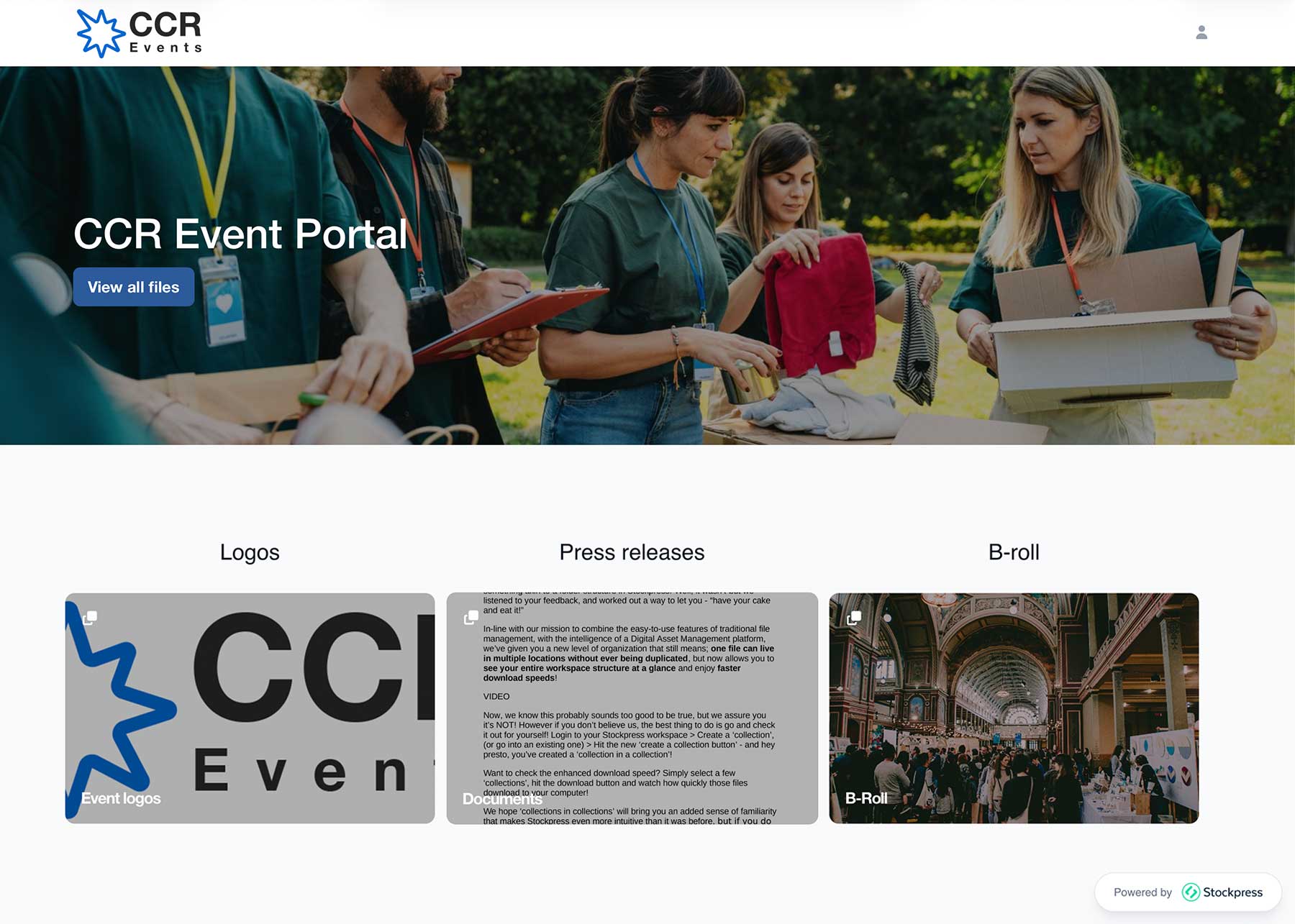
An Event Recap should be more than a folder of photos. It should be a destination that brings the event back together after everyone has gone home. Photos, recordings, presentations, highlight videos, takeaways and speaker info — one destination attendees can revisit again and again.
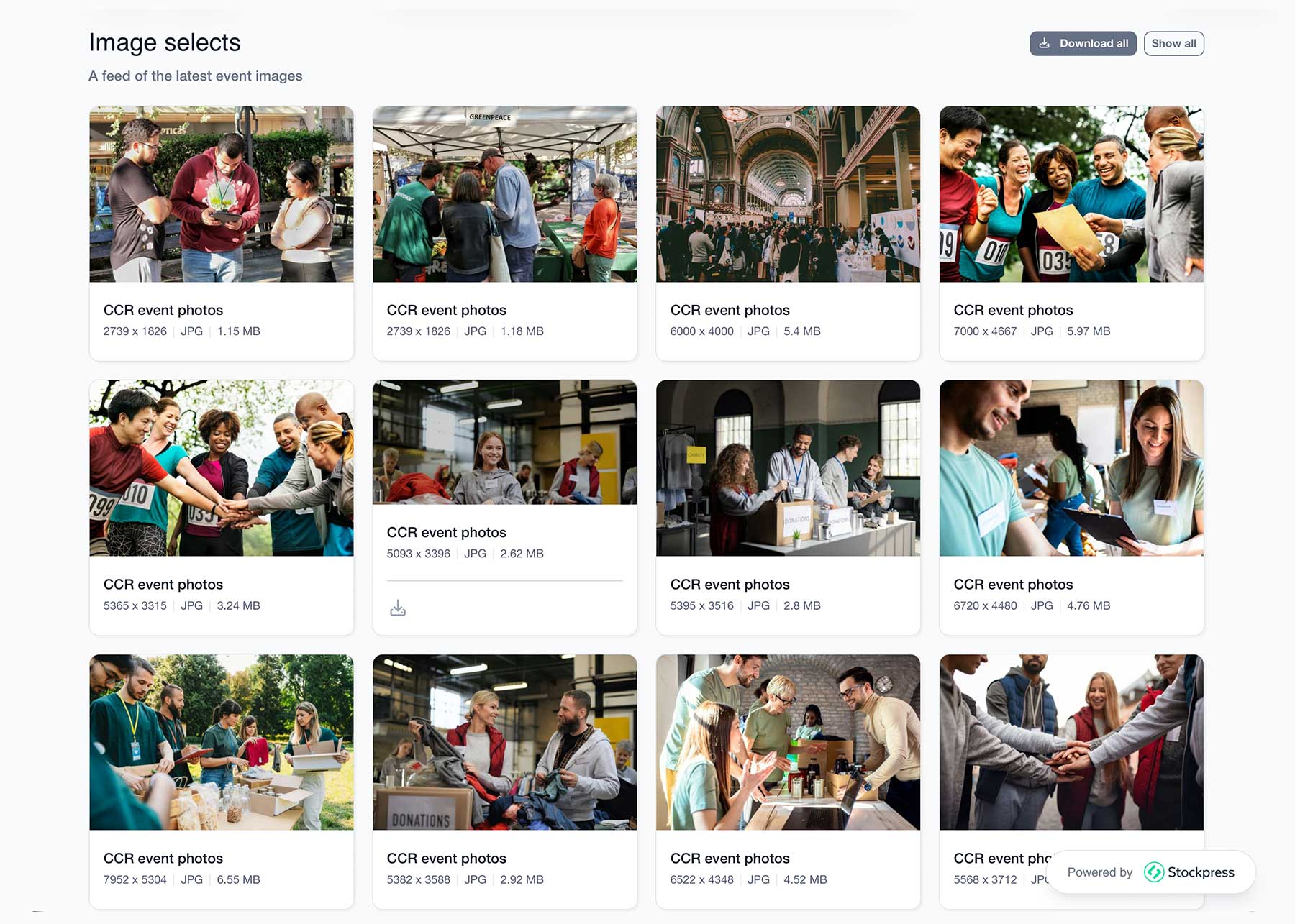
A follow-up email gets buried quickly. Links get lost, photo folders get forgotten and on-demand recordings live on different platforms. Stockpress Event Recaps display content directly from your Stockpress workspace using Collections and File Feeds, making it easy to keep event content organized and add new resources as they become available.
Every Event Recap page is built using Stockpress Content Portals. Choose the sections you need, arrange them in any order and create a page that's unique to your event.
Start with one of our Event templates or a blank canvas that will become your recap.
Select sections to display your content and drag and drop them on the page to create the perfect recap.
Add headings, copy, images and video in addition to your workspace content to describe the event, highlight speakers, and more!
Add a custom logo, colors and even fonts for your event that are separate to your workspace branding.
Share one, publicly available link and keep adding content in your workspace as it happens. Your Event Recap Content Portal will always be up to date.

Your Event Recap is just the beginning. Every asset used to make your Content Portal Event Recap, lives in your Stockpress workspace — searchable and reusable for next year’s event, campaigns, sales and PR teams.
Instead of event photography, videos and presentations disappearing into an archive, your team can find them for future campaigns, social posts, sales collateral, PR, next year’s event and everything in between. Your Event Recap becomes one part of a complete content management workflow.
Stockpress Custom Portals turn your workspace content into an experience.
Photography, sessions and highlights in one post-event destination.
Booth photos, product content and follow-up in one link.
Presentations, videos and best moments, all in one place.
Turn one recording into a full on-demand destination.
Off-sites and celebrations your team can revisit.
Photography awards and announcements while it’s still fresh.
Event Recaps are one use for Content Portals. The same builder also makes:
Free to create and share. No per-user pricing, no credit card required.
No credit card required. Try all Premium features for 14 days.
Photography, videos, presentations, recordings, takeaways, downloads and any text, buttons or embeds you want to add.
Yes. Your recap stays connected to your workspace, so you can publish quickly and keep adding content as it’s ready.
Yes, via a public link with no login required — or keep it private for logged-in users only.
Yes. Turn a recording into an on-demand page with speaker info, slides and related downloads.
Emails get buried. A recap gives your content one permanent home that people can revisit — and that your team can keep updating.