
Create a living Campaign or Product Page, not another shared folder
Turn your campaign messaging, creative, product photography and launch assets into one branded page — connected to your Stockpress workspace — so every team stays aligned.
Turn your campaign messaging, creative, product photography and launch assets into one branded page — connected to your Stockpress workspace — so every team stays aligned.
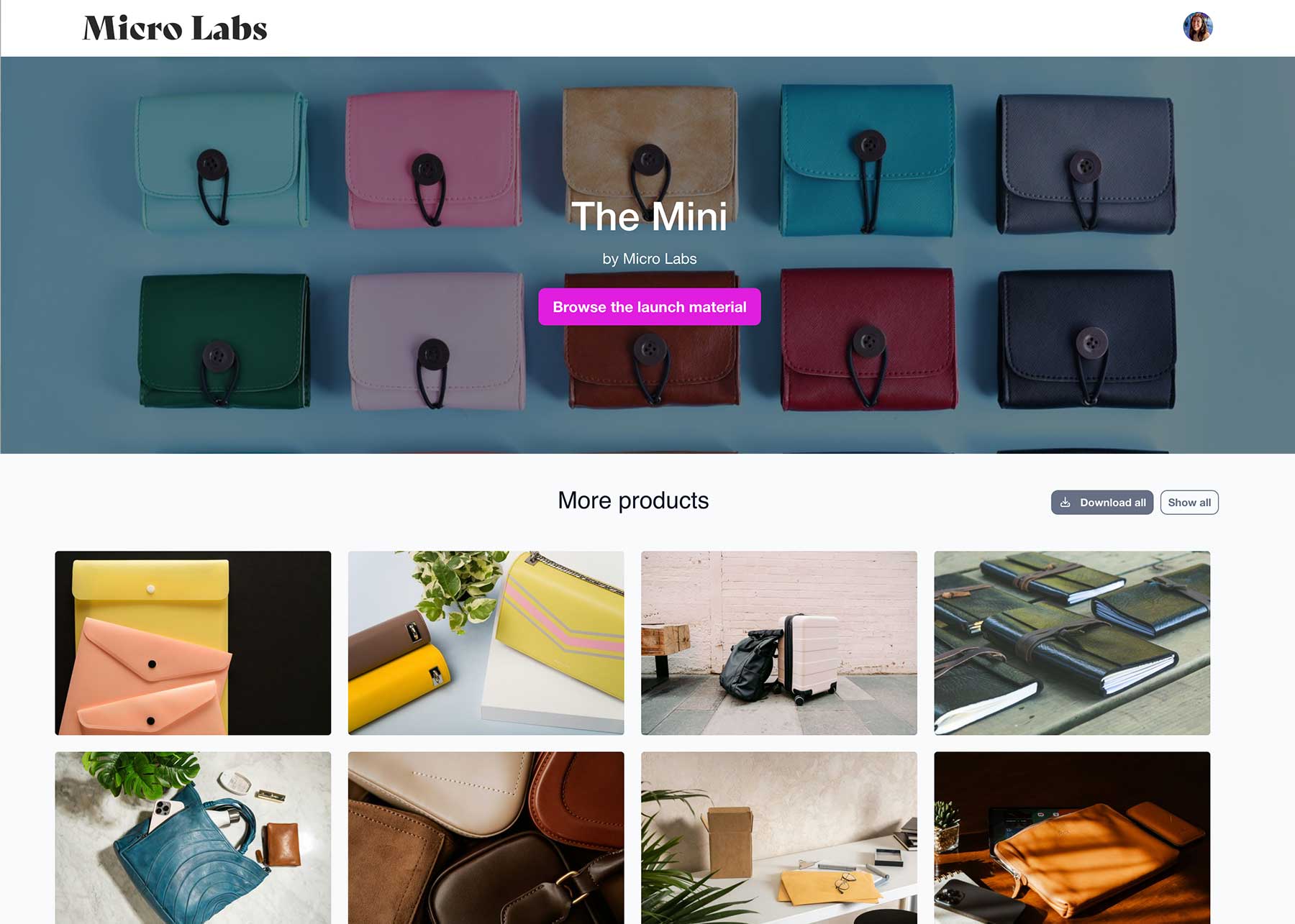
A Campaign Page should be more than a folder full of assets. It should be the one place your team goes for the messaging, creative and product content they need to launch and promote your campaign. Campaign messaging, product photography, creative assets, videos, sales collateral and downloadable files — one destination everyone can trust.
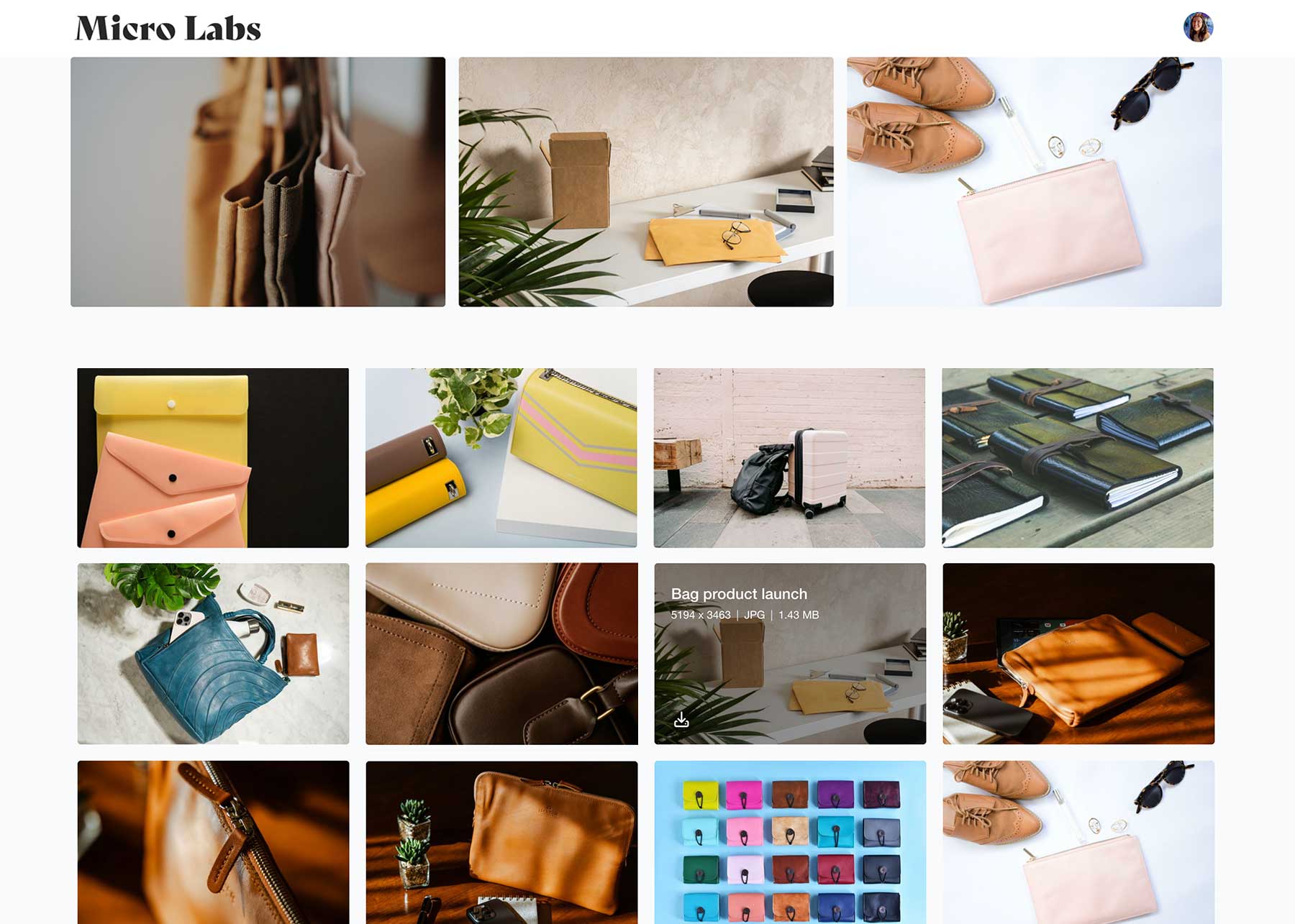
Shared folders are static — the moment someone downloads an asset, it’s already out of date. Stockpress Campaign Pages display content directly from your workspace using Collections and File Feeds, so your page stays current as your campaign or product evolves.
Every Campaign Page is built using Stockpress Content Portals. Choose the sections you need, arrange them in any order, and create a page that's unique to your campaign or launch.
Start with one of our Campaign or Product templates or a blank canvas.
Select sections to display your content and drag and drop them on the page to create the perfect page.
Add headings, copy and company information alongside your workspace content.
Apply your campaign or product branding, colors and typography.
Share one link that keeps your team, agencies and partners aligned.

Your Campaign Page or Product Page is just the beginning. Every asset behind it lives in your Stockpress workspace — organized, searchable and ready to share.
As your organization grows, Stockpress helps you find files in seconds, organize content with AI and custom tags, and keep everyone working from approved assets. Your Campaign Page becomes one part of a complete content management workflow.
Successful campaigns and product launches involve more than one department. Stockpress Campaign Pages help everyone work from the same approved content.
Keep every campaign organized from planning through launch.
Bring together messaging, product imagery and launch assets in one destination.
Always work from the latest approved creative and campaign files.
Find the latest presentations, one-pagers and collateral in seconds.
Promote your campaigns with confidence using approved resources.
Access the latest creative without requesting updated files.
Campaign and Product Pages are one use for Content Portals. The same builder also makes:
Free to create and share. No per-user pricing, no credit card required.
No credit card required. Try all Premium features for 14 days.
A shared folder stores files. A Campaign Page presents them — organized, on-brand, and easy to navigate for anyone involved.
Yes. Any changes you make to Collections or files in your workspace are reflected right away.
Yes. Share one link with your team, agencies, partners or customers — no need to resend files as the campaign evolves.
No. Publish publicly for anyone with the link, or keep it private for logged-in users only.
Campaign messaging, product photography, creative assets, videos, sales collateral, downloads and any text, buttons or video you want to add.