Coming from another DAM? We’ll migrate you for FREE from Canto, Brandfolder, Air, and more! Let’s talk

← Back to all integrations

Simplify your creative flow with the Stockpress plugin for Adobe Photoshop

Tired of endlessly uploading and downloading the same files over and over? So were we! With the Stockpress plugin for Photoshop, your design process just got a major upgrade. Quickly find, edit, and sync your Stockpress files directly in Photoshop. No extra steps, no third-party tools, just one smooth connection to keep your projects moving and your creativity flowing. Ready to unlock a more efficient way to work?
Get started for free

We love Photoshop, but Photoshop connected to your DAM? Even better!

Get the power of Stockpress directly in Photoshop—no tool-switching, no third-party software, and no extra costs. Just effortless editing and syncing, all in one place.

Open, edit, and place

Open, edit, and place

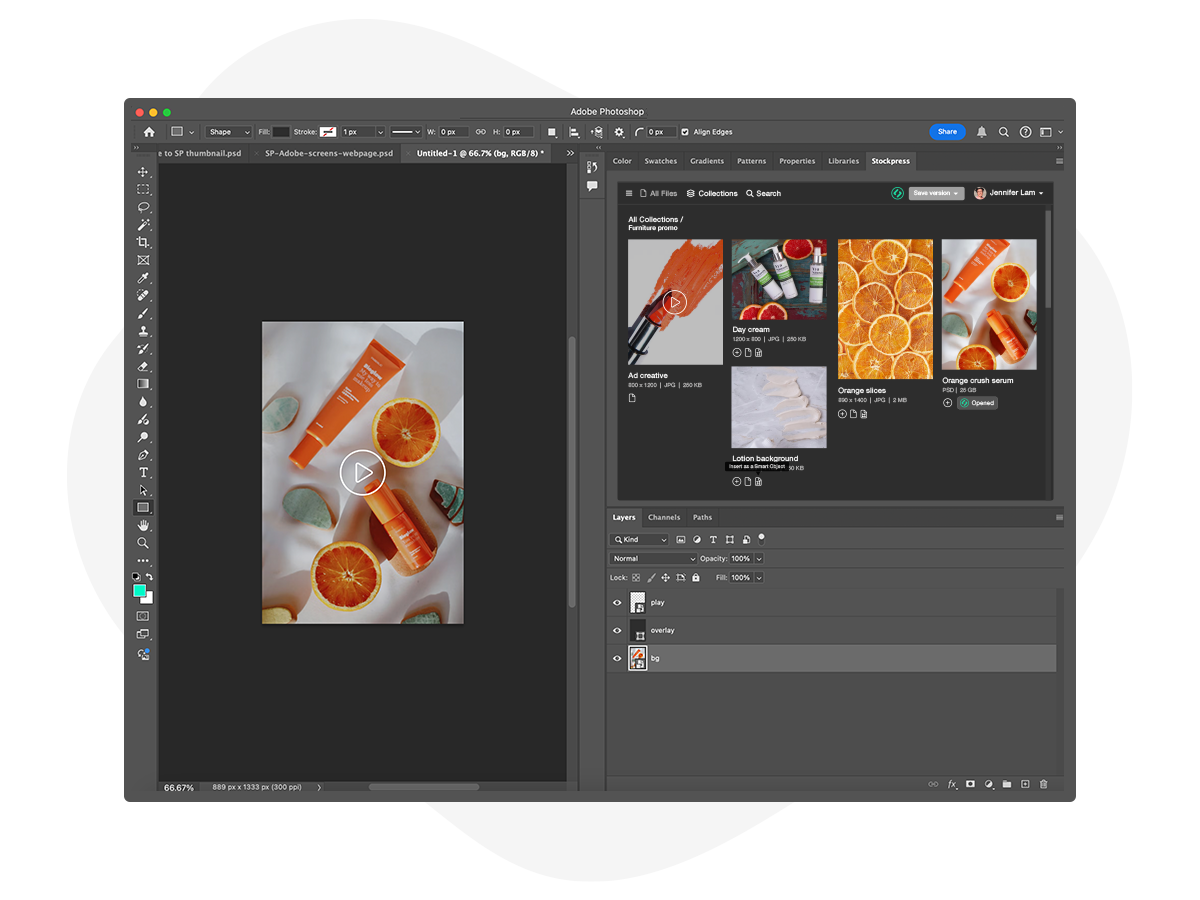
With the Stockpress plugin for Photoshop, you can browse and search your files and Collections—right in Photoshop.

  • Search for files using AI tags and custom metadata.
  • Open, edit, and place files as new layers or Smart Objects.
  • Start new documents from scratch and save them directly into Stockpress.

Install the App

Save, version, and export

Save, version, and export

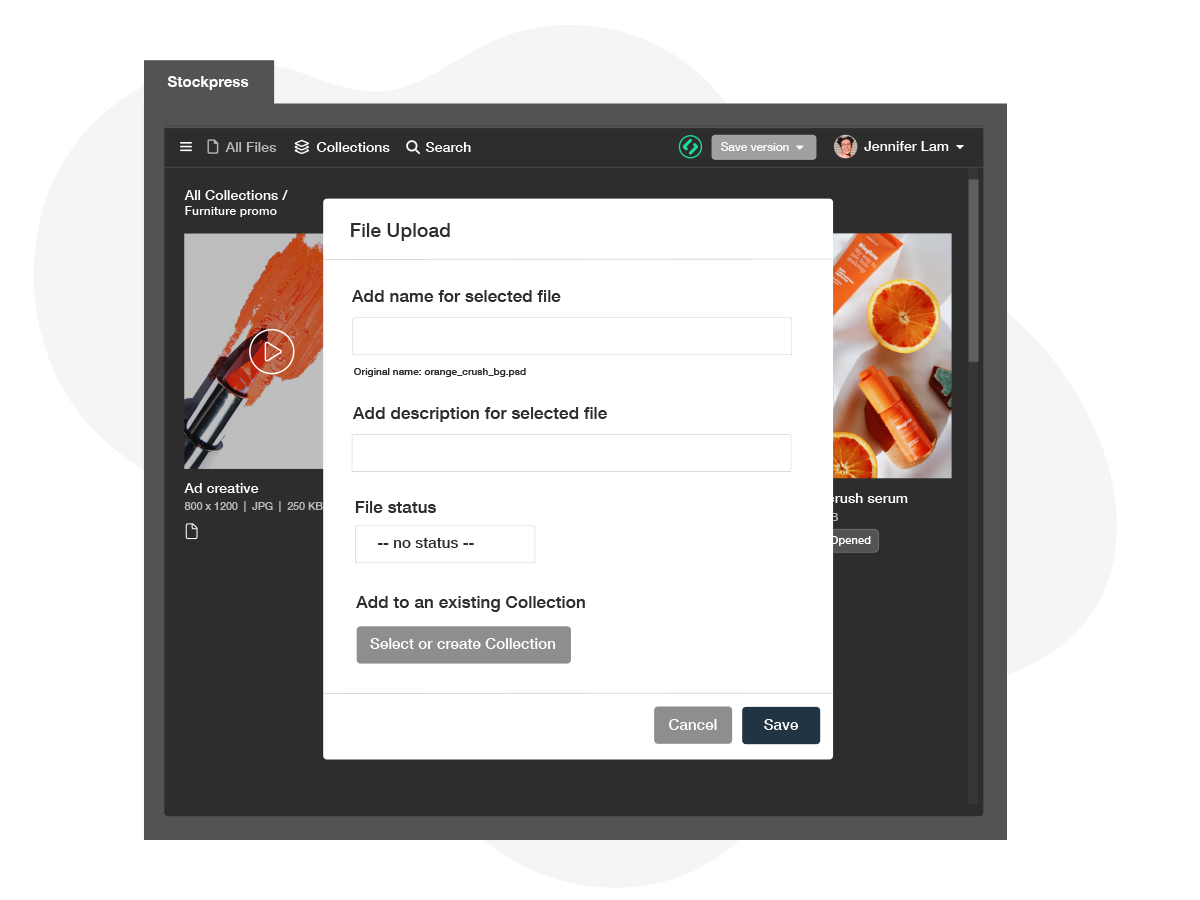
Save your Photoshop documents directly to your Stockpress workspace Collections and keep your team in sync.

  • Use the plugin to effortlessly add custom metadata
  • Set file statuses or expiration dates
  • Sync new versions.
  • Export files as JPG, PNG, or TIF

All without ever leaving Photoshop.

Install the App

Want to see how it works?

See the Stockpress plugin for Photoshop in action!

Stockpress plugin for Photoshop FAQs

Ready to take the work out of your creative workflow?

Set up a Stockpress workspace (it’s free!), connect your Adobe Photoshop account, and enjoy spending less time uploading and downloading and more time creating.

Start for Free Book a Demo