Coming from another DAM? We’ll migrate you for FREE from Canto, Brandfolder, Air, and more! Let’s talk

What is Digital Asset Management?

Last updated: May 2026

Digital Asset Management (DAM) refers to both the practice and the platform used to organize, store, and retrieve digital assets. The ideal DAM platform is one that streamlines the process, allowing you to manage assets effortlessly without the need for extensive learning.
Why is Digital Asset Management important?

Content has never been easier to create, and there has never been more of it - but managing digital assets has never been harder.
You’ll likely be looking for Digital Asset Management solutions for one of two reasons...

You're using too many tools to do one job

You're using too many tools to do one job

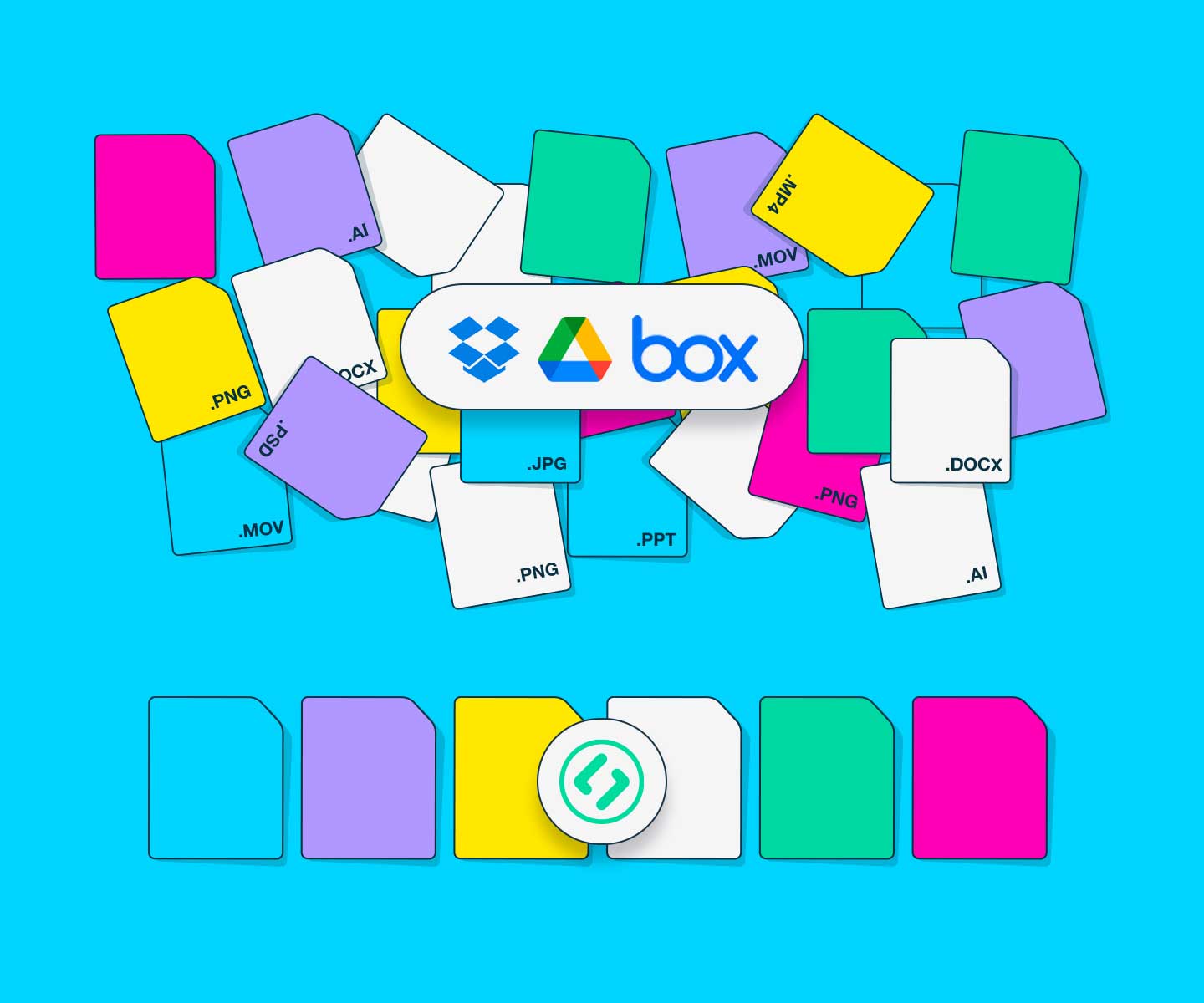
You are used to managing files using Dropbox, Box, Google Drive, or OneDrive, but are frustrated by confusing folder structures, duplicate files, and a lack of visual reference that makes finding the files you need a pain. See how Stockpress compares to file management.

Get started for free

You're spending a lot of money on a tool for only a few people

You're spending a lot of money on a tool for only a few people

The DAM platform you currently use is too expensive, takes too long to set up, and has low adoption because of the first two things. See how Stockpress compares to other DAMs.

Get started for free

What is a Digital Asset Manager?

Whether you contribute, organize, distribute, or use digital files, you are a Digital Asset Manager. We are managing organizing digital assets to make them easy to find, share, and use. This may seem complex at first. However, it is a straightforward process.

Think of DAM as File Management software, but built in a way that actually helps you find what you need.

You're already a Digital Asset Manager

It’s about DAM time you had a system to support you. The right Digital Asset Management system gives you one centralized place to organize, manage, and share files of all types—so everyone who needs them can find them, fast.

Start for free Book a demo

What is the difference between a DAM platform and file management software?

See how file management systems like Dropbox, Google Drive, and Box, stack up to Digital Asset Management like Stockpress, Brandfolder, and Canto.

Asset organization and metadata management with File Management

Primarily, it focuses on basic file and folder structures for organization. The system limits metadata capabilities to file names and comments.

With Digital Asset Management

Offer advanced asset organization with customizable metadata fields, tags, and taxonomies. It supports complex categorization and detailed metadata management for efficient asset retrieval.

Duplication of files with File Management

Creating a new folder relies on duplicating files within the platform. This leads to confusion over which file is the correct one, and artificially increases storage needs.

With Digital Asset Management

One file can live in multiple ‘Collections’ without being duplicated. Access to files is controlled by permissions that support asset tracking and file security and helps reduce storage needs.

Version Control with File Management

Relies on new files being added to folders with amended naming conventions, e.g.: sales brochure.pdf, 01 sales brochure.pdf, 02 salesbrochure.pdf, 03 etc…

With Digital Asset Management

Features robust version control with detailed version histories that can be restored, deleted, or archived.

Searching and finding with File Management

Basic search functionality primarily relies on file names and limited metadata.

With Digital Asset Management

Advanced search functionality utilizing extensive metadata, keywords, filters, and AI-driven search capabilities. Designed to handle large volumes of digital assets with precision and speed.

How to choose a Digital Asset Management system?

Look for these eight things:

Easy to set up

The best DAM is one your team will actually use from day one, not one that takes months to implement

Powerful AI-powered search

Your team should be able to find any asset in seconds using AI tagging, visual search, and smart filters — not by browsing through endless folders

Version control

Ensure everyone is always working from the latest approved file, not an outdated version

Collaboration

make sure the platform supports both internal teamwork and external sharing with partners, agencies, and clients without added complexity

Flexible permissions

You should be able to control who can view, download, and share assets at the team or individual level

Affordable and predictable pricing

Avoid platforms where costs balloon as your team or content library grows

Integrations

Your DAM should connect with the tools your team already uses, like Canva, Adobe, Slack, or your CMS

Responsive customer support

Make sure you can easily reach a real person when you need help, without having to navigate endless documentation or wait days for a response

Who uses Digital Asset Management?

DAM is used across a wide range of industries — any team that creates, manages, and shares visual content at scale can benefit from it.

Educational organizations

Schools, universities, and educational institutions use DAM to organize photography, brand assets, and institutional materials across departments, campuses, and partners. Learn more.

Features they'll love

Guest uploads

Collect photos and content from students, staff, and events without friction.

Find out more

Usage control & permissions

Control who can access and download assets across departments.

Find out more

Leisure and Tourism Organizations

Destination marketing organizations and travel brands use DAM to manage campaign imagery and partner assets — so every team and affiliate always has the right content. Learn more.

Features they'll love:

External sharing

Share curated content with partners and agencies instantly.

Find out more

Version control

Ensure everyone is always using the latest, approved assets.

Find out more

Nonprofit organizations

Nonprofits use DAM to centralize brand assets, fundraising materials, and event photography — keeping content consistent across staff, volunteers, and external communications. Learn more.

Features they'll love:

Unlimited users

Add staff, volunteers, and partners at no extra cost.

Find out more

Smart Collections

Organize assets by campaign, event, or program for easy access.

Find out more

Manufacturing companies

Manufacturing companies use DAM to manage product imagery, technical documentation, and marketing materials — giving sales teams, distributors, and partners fast access to what they need. Learn more.

Features they'll love:

AI and custom tagging

Find product files instantly without relying on folder structures

Find out more

Custom pages

Create branded portals for distributors to access the exact assets they need.

Find out more

Retail and e-commerce companies

Retail brands and e-commerce teams use DAM to organize product photography, campaign assets, and marketplace content — keeping everything current and accessible across channels, partners, and locations. Learn more.

Features they'll love:

Duplicate detection

Avoid storing multiple versions of the same product photo cluttering your library

Find out more

File statuses

Track exactly where each asset is in the approval process before it goes live.

Find out more

Questions you should be asking Digital Asset Management Vendors:

Most teams regret their DAM choice because they didn't ask the right questions upfront. Here's what to ask before you sign anything.

  • How long will it take me to set up the DAM?
  • Is there a cost to get support for implementing the DAM?
  • What is the cost of the Digital Asset Management software?
  • Can you replicate your folder structure from Dropbox, Box, Google Drive, or OneDrive?
  • Can you deduplicate files easily? And not just off using their file name?
  • Can you scale your usage as you go?

Stockpress — Digital Asset Management that just works.

Managing your content shouldn’t be complicated or expensive. Stockpress is built for marketing, creative, and communications teams who need one central place to organize, find, and share their assets — without the enterprise price tag. Unlimited users, intuitive by design, and starting at just $99/month. Simple as that.

Start for Free Book a Demo

Frequently asked questions (FAQs)

Common questions about Digital Asset Management (DAM)

  • What does DAM stand for?

    DAM stands for Digital Asset Management. It refers to both the practice of organizing digital files and the software platforms used to do it.

  • What are examples of digital assets?

    Digital assets include images, videos, logos, brand guidelines, documents, audio files, presentations, and any other file that has value to your organization.

  • Who uses Digital Asset Management software?

    DAM software is used by marketing, creative, and communications teams who need to store, find, and share large volumes of digital files. It’s common in industries like retail, education, nonprofits, and manufacturing.

  • What is the difference between DAM and cloud storage?

    Cloud storage tools like Dropbox or Google Drive use basic folder structures. A DAM adds advanced metadata, AI tagging, version control, and powerful search — making it much faster to find and manage large volumes of assets.

  • How long does it take to set up a DAM?

    It depends on the platform. Enterprise DAMs can take months to implement. Simpler platforms like Stockpress are designed to be set up quickly, often within a day.

  • Do I need a DAM if I already use Dropbox or Google Drive?

    If you’re managing a growing library of brand assets and finding files is becoming a pain, a DAM is worth considering. DAMs are purpose-built for asset retrieval, sharing, and collaboration in ways that general file storage tools aren’t.

  • How much does Digital Asset Management software cost?

    DAM pricing varies a lot depending on the platform. Most traditional DAMs like Brandfolder and Canto use custom or enterprise pricing, which often means thousands of dollars per year — and costs tend to increase as your team grows, since many platforms charge per user. Stockpress takes a different approach: pricing is based on storage rather than seats, so your whole team can use it with unlimited users starting at $99/month. That makes it one of the most affordable DAM options for growing teams. See how Stockpress compares to other DAMs on pricing.